
Being reachable is useful. Customers need to confirm appointments. Family members need to coordinate pickups. A delayed part or a changed field location requires a quick response. Being available every minute is different. It turns every notification into a potential interruption and trains both the user and everyone else to expect immediate replies. Over time the phone stops being a tool and starts directing the pace of the day.
I adjusted this balance after years of field service calls and family logistics. The phone had to remain usable for real needs. It did not have to remain open to every non-urgent message, group chat, or promotional alert. The distinction between reachable and constantly available is practical rather than philosophical. A few settings and habits make it workable on ordinary workdays and evenings.
Why Constant Availability Becomes the Default
Phones arrive with notifications enabled for almost everything. Apps ask for permission and the easiest answer is yes. Group chats grow. Work and personal messages share the same device. The result is a lock screen that lights up throughout the day and an expectation—internal and external—that a reply should come quickly.
Field work makes the cost more visible. A message that arrives while under a sink or talking with a customer pulls attention at the wrong moment. The same pattern appears at home during dinner or while helping with homework. Each individual interruption seems small. The cumulative effect is a day lived in shorter fragments.
The Difference That Matters
Reachable means important calls and time-sensitive messages can still get through. Available every minute means every alert is treated as potentially urgent. The first supports the work and the family schedule. The second creates continuous low-level demand. Most people need the first. Few genuinely need the second.
Practical Controls That Preserve Reachability
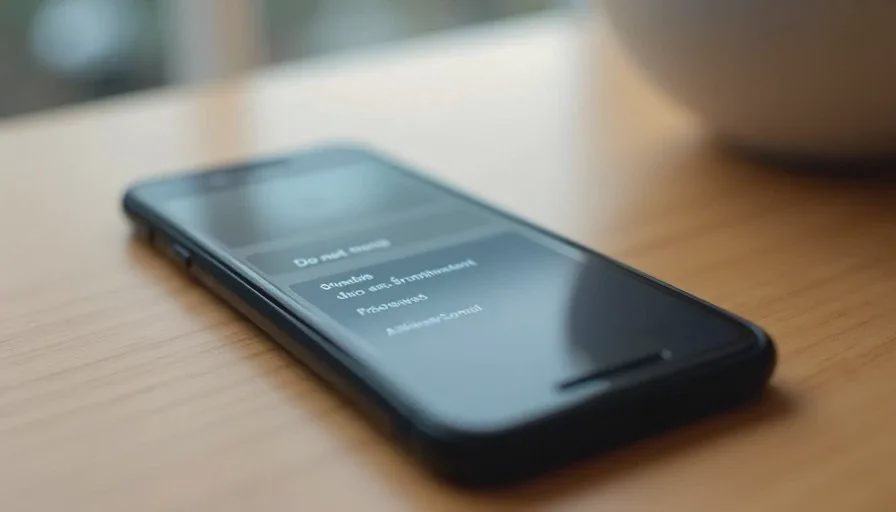
The phone itself provides the main tools. Focus modes, scheduled do-not-disturb, and per-app notification settings allow important contacts and calls to break through while silencing the rest. The exact names vary by device, but the functions are similar.
Set a work focus or a personal focus that allows calls from starred contacts and selected apps. Everything else is quieted during defined hours. A customer who needs to reach you about today’s job can still call. A group chat about weekend plans does not light the screen. The same approach works in the evening: family members and a short list of critical contacts remain able to get through; the broader stream of messages waits.
Notification summaries or batched delivery, when available, collect lower-priority alerts into periodic updates instead of delivering them one by one. This keeps the lock screen calmer without requiring constant manual clearing.
Choosing Who Can Break Through
Star or mark as favorites the small number of people whose calls genuinely need to interrupt. For many field workers this includes a spouse or partner, a key customer contact for the current day, and perhaps one dispatcher or business partner. Everyone else can leave a message or wait for the next check-in window.
App-level controls reinforce the same boundary. Sports team chats, promotional accounts, and non-essential messaging apps can be limited to silent delivery or scheduled checks. The information remains accessible. It simply stops arriving as continuous demands.
Habits That Make the Limits Sustainable
Settings alone fade if the habit remains to check the phone at every pause. A short, defined window for reviewing non-urgent messages—once mid-morning, once after the main work block, once in the early evening—prevents the backlog from feeling urgent while still keeping responses reasonably timely.
Physical placement helps. Keeping the phone face down, in a pocket, or in a consistent charging spot during focused work or family time reduces the automatic reach. The device is still nearby for the calls that are allowed through. It is simply less visually demanding.
When a new app requests notification permission, the default answer can be no unless there is a clear reason to say yes. This prevents the notification list from expanding again over time. A periodic review of remaining alerts keeps the system from drifting back to constant interruption.
Communicating the Boundary Without Creating Friction
Some people worry that limiting availability will appear unresponsive. In practice a short, consistent pattern works better than continuous partial attention. Customers and colleagues learn that calls are answered and that messages receive replies within a reasonable window. The quality of the response often improves because it is not squeezed between other interruptions.
For family coordination the same clarity helps. A shared understanding that non-urgent messages will be seen at the next check-in reduces the expectation of instant replies and the frustration that follows when they do not arrive.
Emergency situations remain covered by the allowed contacts and by ordinary voice calls. The boundary is not a complete barrier. It is a filter that keeps the genuinely time-sensitive items visible.
What This Approach Does Not Require
Staying reachable without constant availability does not require deleting apps, abandoning group chats, or adopting an extreme digital minimalism. It does not demand perfect discipline every day. It requires only that the default state of the phone favors focused work and present family time, with clear paths for important contact to break through.
It also does not ignore the real needs of field service or parenting. The phone remains a primary tool for navigation, customer communication, and schedule coordination. The difference is that those functions are used deliberately rather than continuously.
Results After the Filter Is in Place
Once the settings and habits are established, the number of unnecessary interruptions drops. Work blocks become easier to protect. Family time has fewer competing alerts. Battery life improves because the screen activates less often. The mental load of feeling perpetually behind on messages decreases because the remaining notifications are more likely to matter.
The phone returns to a supporting role. It still handles the calls and messages that keep the day moving. It no longer claims attention for everything else by default.
A phone should help you make one less trip, miss one fewer job, and have one fewer argument. Being reachable without being available every minute supports all three by reducing the fragmentation that creates extra coordination, delayed responses, and unnecessary tension. The controls are already on the device. Using them deliberately is the practical step that restores the balance.



No comments yet — be the first to share a thought.