
A phone is useful when it helps you finish a job, find an address, or coordinate a pickup. It becomes a problem when it starts directing the day through constant notifications, open apps, and the feeling that every message needs an immediate reply. Many people end up reacting to the device instead of using it as a tool. The shift is gradual. One extra alert, one more group chat, one more app that wants attention, and the phone moves from support to control.
I noticed this pattern in my own work and family life after years of carrying a phone for service calls and kids’ schedules. The device that once helped me make one less trip began creating new interruptions. A customer text during a repair. A team message during dinner. A sports update while I was already on the road. None of these were emergencies. Together they fragmented attention and made ordinary days feel busier than they needed to be. The solution was not to abandon the phone. It was to put clear limits around when and how it could interrupt.
How a Phone Quietly Takes Over
The takeover rarely feels dramatic. It happens through small defaults. Notifications stay on for every app. Group chats remain unmuted. Location sharing runs continuously. The lock screen fills with badges. Each item seems minor. The cumulative effect is a device that demands attention throughout the day.
Field work makes the problem more visible. A phone that buzzes while you are under a sink or talking with a customer pulls focus at the wrong moment. The same happens at home. A sports app notification during a family meal or a work email after hours turns recovery time into more coordination. The phone begins to set the pace instead of supporting the plan you already made.
The Cost of Constant Availability
Being reachable is valuable. Being available every minute is not the same thing. Constant availability raises the expectation that replies should be instant. That expectation creates pressure even when the message is not urgent. Over time people start checking the phone to clear the mental load of unanswered items rather than because something actually needs action.
The same pattern affects battery life and attention. Every notification lights the screen. Every open app uses power. The device that should last through a full workday drains faster when it is constantly active. The practical cost shows up as more charging stops and more moments of divided focus.
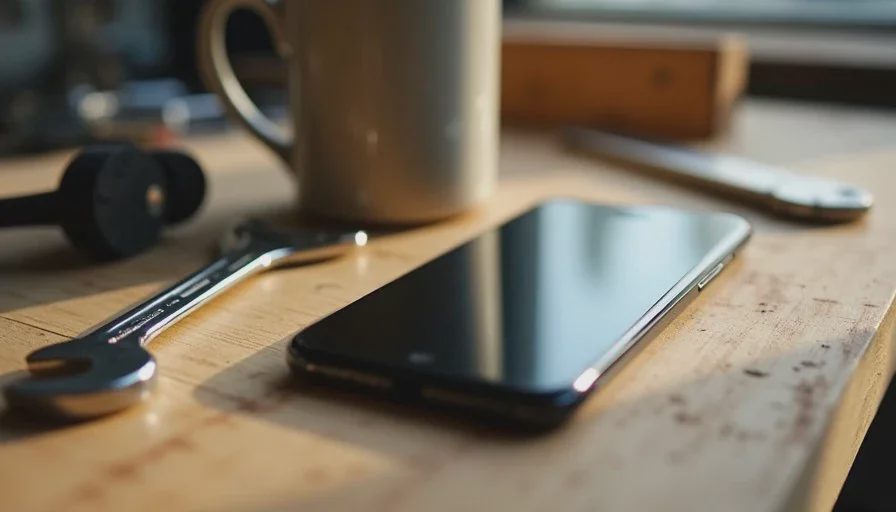
Simple Boundaries That Keep the Phone in Its Place
Effective limits are specific and easy to maintain. Broad intentions such as “use the phone less” usually fail under real conditions. Concrete rules tied to time of day or type of activity work better.
One approach that has held up is silencing non-essential notifications during work blocks and family time. Customer calls and key work messages stay active. Sports chats, promotional alerts, and social updates do not. The phone remains usable for the tasks that matter. It simply stops interrupting for everything else.
Another useful boundary is a short daily period when the phone stays in another room or in the truck. This is not a full digital detox. It is a deliberate gap that lets attention settle on the present task or conversation. I use this on weekend mornings when the schedule allows. The rest of the day the phone is available again. The gap is short enough to be realistic and long enough to break the habit of constant checking.
Notification Choices That Actually Help
Most phones allow fine control over which apps can notify and when. The practical step is to review the list and turn off anything that does not require immediate action. Sports team apps can be limited to game-day alerts. Shopping and news apps can be silenced entirely. Email can be set to fetch on a schedule rather than push every message.
The goal is not zero notifications. It is a smaller set that still covers genuine needs. When the lock screen is quieter, the urge to check it decreases. The phone becomes a tool you open with purpose rather than a source of continuous prompts.
Location Sharing and Always-On Tracking
Location sharing is useful for safety and coordination. Leaving it on at all times is rarely necessary. Turning it off during fishing trips, certain work days, or personal time reduces the sense that the phone is reporting every movement. It also lowers battery use. The feature can be turned back on when it serves a clear purpose.
The same logic applies to other always-on services. Background app refresh, continuous location history, and unnecessary tracking can be limited without losing core function. The phone still works. It simply does less in the background.

Building Habits That Survive Ordinary Days
Boundaries only help if they hold when the day gets busy. A few light habits make them more durable.
I keep the phone face down or in a pocket during focused work and family meals. The physical position reduces the automatic reach. Charging happens in a consistent place rather than beside the bed or on the dinner table. That small separation makes it easier to leave the device alone for short stretches.
When a new app asks for notification permission, the default answer is no unless there is a clear reason to say yes. This prevents the notification list from growing again over time. Periodic reviews of the remaining alerts keep the system from drifting back to constant interruption.
These habits are not rigid. They flex when a real emergency or time-sensitive job appears. The point is that the default state favors focus rather than reaction.
What This Approach Does Not Require
Keeping the phone in service to the day does not require deleting every app or living offline. It does not demand perfect discipline. It does not turn the device into a source of guilt. The aim is practical reduction of unnecessary claims on attention so the remaining uses stay effective.
It also does not ignore the real value of the phone for work and family coordination. Customer communication, maps, payments, and shared calendars remain available. The difference is that they are used on purpose instead of driving the rhythm of the day.
Results That Appear Over Time
After applying these limits, the number of unnecessary interruptions dropped. Work blocks became easier to protect. Family time had fewer competing alerts. Battery life improved because the screen lit up less often. The phone returned to its original role: a tool that supports the plan rather than rewriting it minute by minute.
The same principles apply across different households and jobs. The exact settings will vary. The underlying question stays consistent. Does this notification, app, or always-on feature help me make one less trip, miss one fewer job, or have one fewer argument? If the answer is no, it can usually be limited or turned off.
A phone should serve your day, not run it. The distinction is practical rather than philosophical. When the device stays in its place, attention stays available for the work and the people that actually need it. The adjustments are small. The cumulative effect is a quieter, more usable relationship with the tool most of us carry every day.



No comments yet — be the first to share a thought.