
Sports apps solve a real problem. They put practice times, game locations, roster details, and last-minute changes in one place. For busy parents the convenience is obvious. The less obvious part is how much personal and location information these apps accumulate about children and families over a season. Photos, addresses, availability patterns, and sometimes precise location data can all end up stored and shared in ways that exceed what the original purpose required.
I started paying closer attention after several seasons of soccer and baseball apps. The tools were useful for coordination. They also requested permissions and displayed information that felt broader than necessary for running a youth team. The response was not to abandon the apps. It was to review the settings, limit what was shared, and treat the platforms as sources of schedule information rather than complete family records.
What These Apps Commonly Collect
Most youth sports platforms gather a core set of data to function: player names, parent contact information, team assignments, and event schedules. Many go further. Photo galleries, chat logs, location check-ins, home addresses for carpools or directories, and detailed availability calendars are common. Some apps request ongoing location access or background data refresh that continues even when the app is not open.
The information is often visible to other parents on the team, to coaches, and in some cases to league administrators. Photo albums can include images of children in identifiable settings. Chat threads may contain discussions of family schedules, travel plans, or personal circumstances. Over a full season the accumulated record becomes a detailed picture of a family’s routines and locations.
Why the Scope Expands
Convenience drives most of the expansion. A single app that handles registration, payments, messaging, photo sharing, and location-based arrival notices feels efficient. Each added feature requires more data. Default settings frequently favor maximum functionality over minimum collection. Parents who accept the defaults in order to get the schedule quickly may not revisit the permissions later.
The result is a tool that knows more than the minimum required to announce a practice time or a field change. For many families that extra knowledge is unnecessary.
Practical Steps to Limit What the App Knows
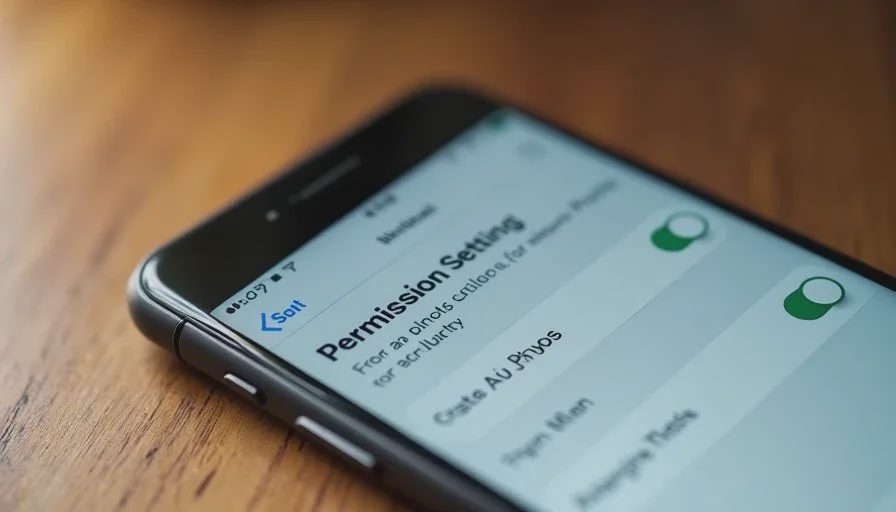
The most effective controls are available inside the app and on the phone itself. Start with the permissions the app has been granted. Location access can often be limited to “while using” rather than “always.” Background refresh and motion tracking can be turned off if they are not required for the core schedule features. Notification settings can be restricted so that only essential updates generate alerts.
Inside the app, review the profile and privacy options. Some platforms allow parents to control who can see contact information, addresses, or photos. Others let you hide certain fields from the broader team roster. Where those controls exist, use them. If an address or phone number is required for the coach but does not need to be visible to every parent, restrict the visibility accordingly.
Photo settings deserve separate attention. Automatic uploads or shared albums can be disabled or limited. When photos are useful for the team, manual selection and posting give more control than continuous camera-roll access. Children’s images do not need to live indefinitely in a team gallery once the season ends.
Treating the App as a Schedule Source
One of the simplest reductions in exposure is to stop treating the sports app as the primary family calendar or communication hub. Transfer the key dates and times into a shared family calendar that you control. Use the sports app to receive official updates, then move the information to the place where the rest of the family’s commitments already live. This reduces the need to keep the sports app constantly active and lowers the amount of family routine visible inside the team platform.
Chat and messaging features can be muted or checked on a schedule rather than left with continuous notifications. Social or photo threads can be visited intentionally instead of arriving as constant alerts. The useful logistical information remains available. The broader social and data layer becomes optional.

Questions Worth Asking at the Start of a Season
Before accepting every permission prompt, a short set of questions helps. Does this feature require continuous location access, or is a one-time address sufficient? Do other parents need to see home addresses and phone numbers, or only the coach? Are photos necessary for the team’s function, and if so, who can view and download them? What happens to the data when the season ends?
Not every app provides clear answers. When the answers are vague or the controls are limited, treating the platform more narrowly is a reasonable response. Enter the minimum information required for the player to be rostered and to receive schedule updates. Decline optional features that expand the data footprint without a clear benefit.
What to Do with Existing Data
For apps already in use, a periodic review is useful. Remove or archive old photo albums if the platform allows it. Update visibility settings on contact fields. Delete the app’s access to the camera roll or location if those permissions are no longer needed. At the end of a season, consider whether the account itself still needs to remain active or whether the essential records can be exported and the app removed until the next season begins.
These steps do not erase every copy of the data that may exist on company servers. They do reduce the active, accessible footprint on the devices and within the team view.
Balancing Convenience and Restraint
Sports apps exist because coordinating youth activities is genuinely complicated. Complete withdrawal is unrealistic for most families. The practical middle path is to keep the features that solve the coordination problem and to disable or ignore the features that mainly expand data collection and social noise.
Location sharing for arrival notices, unlimited photo streams, and open chat histories are convenient. They are also optional for the core purpose of knowing when and where the team is supposed to be. A parent can receive the schedule, transfer it to a controlled calendar, and mute the rest without losing the ability to show up on time.
Why the Extra Attention Is Worth It
Children’s information deserves a higher default level of care than ordinary adult accounts. Photos, locations, and family routines are more sensitive when they belong to minors. Sports apps are not unique in collecting this data, but they are one of the more common places where it accumulates under the banner of team coordination.
A few minutes spent on permissions and visibility settings at the start of a season, plus a light habit of treating the app as a schedule feed rather than a full family platform, reduces the unnecessary exposure. The games and practices continue. The phone remains useful for the updates that matter. The broader data trail stays smaller.
A phone should help you make one less trip, miss one fewer job, and have one fewer argument. Managing what a child’s sports app is allowed to know supports that goal by keeping family information more contained and by reducing the background noise that turns a coordination tool into a constant presence. The adjustments are modest. The quieter, more controlled result is the daily benefit.



No comments yet — be the first to share a thought.