The best apps for handymen are not necessarily the ones with the longest feature list. They are the tools that still make sense when you are parked outside a customer's house, carrying a toolbox in one hand, and working with 18 percent battery. A useful phone setup should help you schedule jobs, find parts, send a clear estimate, collect payment, and get home without creating another administrative chore.
I have worked with field-service businesses that used everything from a paper notebook and a calculator to full service-management software. The right choice depends on how many jobs you handle, whether you work alone, and how comfortable your customers are with digital invoices. Start with the problem that costs you the most time, then add one tool at a time.
Scheduling apps that prevent missed appointments
For a solo handyman, Google Calendar is still a strong starting point. It is free, works on iPhone and Android, and can separate work appointments from family commitments. Create a work calendar with job addresses, arrival windows, customer phone numbers, and a short description of the task. Do not put sensitive customer details in the event title if your calendar appears on a locked-screen notification.
If you need booking pages, reminders, and customer records, Jobber, Housecall Pro, and ServiceTitan are names worth comparing. Jobber and Housecall Pro are commonly aimed at small and growing home-service companies, while ServiceTitan is generally built for larger operations with more complex dispatching and reporting. Pricing and features change, so test the workflow before committing to a subscription.
The best apps for handymen should reduce calls, not simply move those calls into a new inbox. Send an automatic appointment reminder, but keep a personal text option for customers who need to move a time. A calendar that saves one missed appointment can pay for itself quickly, but only if you actually keep it updated.
Estimates, measurements, and job documentation
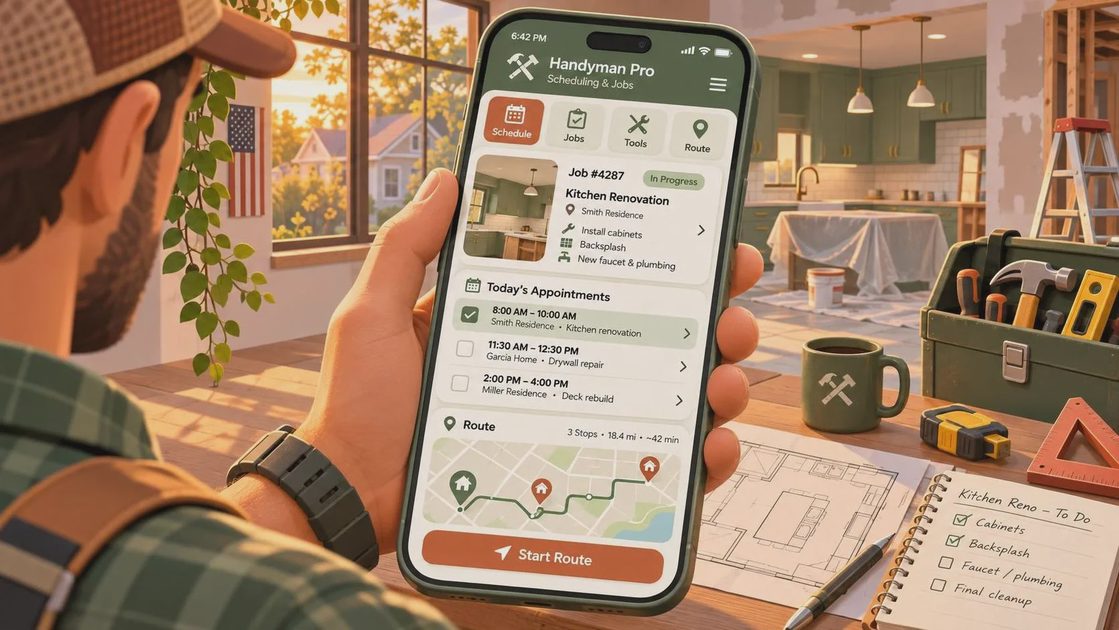
A clear estimate protects both sides. Apps such as Joist, Invoice2go, and Square can help create professional estimates from a phone. Joist is popular with independent contractors because it combines estimates, invoices, and payment collection in a relatively approachable workflow. Square is familiar to many customers and can connect invoices with card payments, though processing fees apply.
Before choosing, send yourself a sample estimate. Check whether the app lets you list materials separately, add labor hours, include an expiration date, and state what is not included. For example, a bathroom repair estimate might show a $180 labor charge, $65 in materials, and a note that hidden water damage requires a separate approval. That detail is more useful than a glossy template.
Photos are another practical part of the best apps for handymen. Use your regular camera app or a field-service app to photograph existing damage, shutoff valves, serial numbers, and completed work. Take wide and close images, then label them by room and date. Ask permission before photographing personal belongings, and delete unnecessary images after your record-keeping period ends.
A simple notes app can be enough for measurements. Apple Notes and Google Keep both support checklists, photos, and voice notes. If a note needs a tutorial longer than the job, I am already skeptical. The question is whether you will still use it next month.
Getting paid without an awkward driveway conversation
Payment tools should be easy for you and recognizable to the customer. Square, PayPal, and Stripe-powered invoicing services can support cards and digital payments, while Zelle or Venmo might be convenient for established customers. Business accounts and proper records matter; mixing personal and business transactions makes tax preparation harder and can complicate disputes.
Explain payment timing in the estimate. A small deposit for special-order materials, progress payment for a multi-day project, and final payment after a walkthrough are easier to discuss before the work begins. Keep receipts for purchases, and save the final invoice with the customer's approval notes.
Some of the best apps for handymen charge monthly fees, while others take a percentage of each transaction. Compare the real cost on a $75 repair and a $2,500 project. A lower monthly price is not automatically cheaper if every card payment costs more. Also check how quickly funds reach your bank and what support is available when a payment fails.
Maps, routes, and weak-signal planning
Google Maps and Apple Maps handle ordinary driving well, but field work often involves rural roads, new subdivisions, and addresses that do not pin correctly. Confirm the route before leaving the driveway. If a customer sends a dropped pin, compare it with the written address rather than trusting the pin alone.
Download offline maps for areas where you regularly work. This will not replace a live connection for every feature, but it gives you a useful backup when coverage disappears. Keep a paper list of the day’s addresses in the truck, especially for a long route through mountain or rural areas. A printed list is not old-fashioned when the phone is charging, wet, or stuck in a reboot loop.
The best apps for handymen should also help with route order. Google Maps can provide directions between multiple stops, while dedicated route-planning apps can optimize several appointments. Do not let an algorithm create an unrealistic day. Add time for parking, customer questions, supply runs, and the ten-minute conversation that happens at nearly every completed job.
Privacy, security, and keeping work separate
A handyman's phone may contain customer names, addresses, garage codes, payment records, and photos inside private homes. Use a strong screen lock, automatic updates, and two-factor authentication on email, banking, payment, and scheduling accounts. A password manager such as 1Password, Bitwarden, or Apple Passwords can make unique passwords practical without relying on memory.
Limit location access to what an app needs. A mapping app may need location while you are using it, but an invoicing app usually does not need continuous location tracking. Review notification previews so a customer's address does not appear on the lock screen. Back up important records, but do not automatically share every work photo into a family photo library.
Customer communication deserves a simple boundary. Use a dedicated business number through Google Voice or a second phone line if you can. That lets you silence work messages during dinner without missing a school or family call. The best apps for handymen should support a workday, not make you permanently on call.
A practical starter setup for a solo operator
If you are starting from scratch, begin with Google Calendar for scheduling, Google Maps or Apple Maps for driving, your phone camera for documentation, and a simple invoice tool. Run that setup for two weeks. Write down every repeated annoyance: missed reminders, unclear estimates, duplicate data entry, slow payments, or lost receipts.
Then add one solution for the biggest problem. If scheduling is the issue, test Jobber or Housecall Pro. If payment collection is slow, compare Square with your bank's business tools. If receipts disappear in the truck, try a scanning app and a cloud folder organized by month. Avoid buying a five-app bundle to solve one missing feature.
Before paying annually, complete a real test: create a customer record, schedule a job, send an estimate, revise it, collect a payment, export the invoice, and remove the test data. Check battery use and mobile performance over a full day. A phone should help you make one less trip, miss one fewer job, and have one fewer argument. Choose the tools that do exactly that, then leave the rest alone.


No letters yet — be the first to write.