A missed address, a scribbled invoice, and three calls asking when you’ll arrive can turn a short job into a long afternoon. The best field service software for small business is the one your crew can use from the truck without fighting it. Start with Jobber if you want an all-around option for scheduling and customer work, Housecall Pro if you want to explore a platform built around home-service workflows, or ServiceM8 if your team uses Apple devices and wants a mobile-focused system. Check the features and device support on the plans you’re considering before you commit.
You may not need any of them. A solo cleaner with a manageable client list might get by with a calendar, a payment link, and a simple spreadsheet. Software earns its monthly bill when it prevents enough missed appointments, lost paperwork, or delayed payments to matter.
Pick a starting point for your kind of work
Jobber is a sensible first look for a small operation that wants to connect customer records, scheduling, quotes, and invoices. It can suit a landscaping or repair business moving beyond a shared calendar. Pay particular attention to which plan includes the team features you need, rather than choosing on the advertised starting price alone.
Housecall Pro is worth comparing if your work centers on appointments at customers’ homes and you want scheduling, invoicing, and payment tools in one place. A plumbing, cleaning, or HVAC business should walk through its own job process during a trial, especially if office staff and technicians need different access.
ServiceM8 is a candidate for a small team already using iPhones or iPads. If anyone relies on Android, confirm exactly which tasks they can perform on their device before building your workflow around it. A lower price won’t help much if a technician has to call the office to finish every job.

None of these is automatically the right choice for every trade. Before a demo, write down the three things that cause the most trouble now: perhaps rescheduling recurring lawn visits, attaching appliance model numbers to a job, or getting a deposit before ordering parts. Ask the vendor to show those tasks on a phone, not just on a desktop presentation.
What field service software for small business should handle
Start with the path from the first call to the final payment. A useful system should let you record the customer’s contact information and service address, put the appointment on a calendar, and find the job again without digging through old texts. If an office worker dispatches jobs, check how an address or time change reaches the person in the field.
For estimates, look for a clear way to describe labor, parts, and any exclusions. Find out whether customers can approve an estimate electronically and how that approval is recorded. For invoices, check whether a deposit or partial payment can be reflected without making the customer guess what they still owe.
Recurring work deserves its own test. A cleaner may need every-other-week appointments; a landscaper may need seasonal changes and rain-day rescheduling. Create a pretend recurring job, move one visit, and see whether the remaining schedule stays as intended. Also check whether customer reminders can be adjusted or switched off. Nobody needs a text for every minor edit.
Photos and notes can save a return trip, but only if they are easy to find. Try attaching a photo of an equipment label to the right job. Check whether the next technician can see it, whether the customer can see it, and whether photos remain available after the job is closed.
Test the weak-signal problem before moving your records
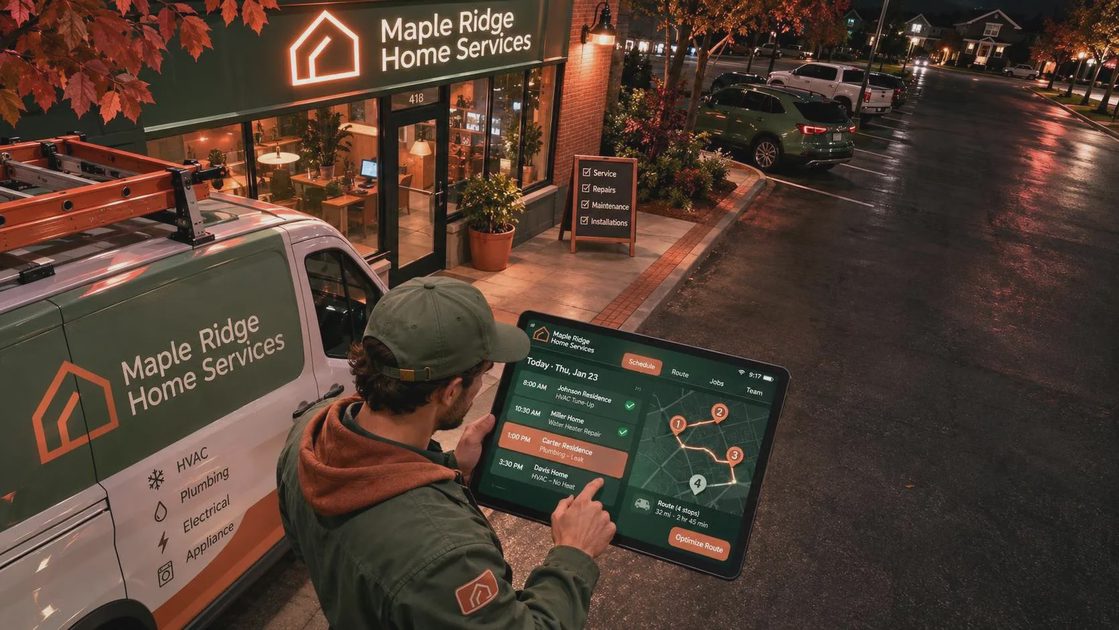
Here’s what happens when this meets a real workday: you park at a rural address, open the app, and discover that the gate code or equipment notes need a connection. Offline support varies by product, device, and task. Do not assume that because an app opens without service, it can also save an invoice or load customer photos.
During a trial, load a sample job while connected. Then turn on airplane mode and try to open the address, read the notes, add a note, and take or attach a photo. Reconnect and check whether your changes sync and whether any warning appears. Use sample information, not a real customer’s private details, for this exercise.
Have a backup for the information you must have at the door. Depending on your privacy needs, that might be a securely stored copy of the day’s addresses and phone numbers or a paper route sheet kept out of sight. Avoid putting alarm codes or unnecessary personal notes on a loose sheet in the truck. Decide who can access backups and when they should be deleted or shredded.
A charger belongs in the plan, too. Navigation, photos, and a bright screen can drain a phone before the last appointment. Check that your charging setup works while the phone is mounted and that the app remains usable on the devices your crew already carries.
Calculate the cost beyond the monthly subscription
Compare the actual plan for the number of people who need access, not just the lowest advertised tier. Ask whether office staff, technicians, or additional users cost extra. Check limits on jobs, customers, messages, and storage, along with any setup charge or annual commitment. Prices and plan features change, so get the terms in writing before purchasing.
Payment processing is a separate question. Find the fees for card payments and any other payment methods you intend to offer, including potential charges for refunds or disputes. Ask when funds are deposited and whether using the built-in payment option is required for the workflow you want. Those details matter when parts have to be paid for before the customer’s money arrives.
Also check what happens when you leave. Can you export customer details, job history, invoices, and attachments in usable formats? A spreadsheet export of names and phone numbers is helpful, but it may not include photos or the full service history. Know the difference before years of records accumulate.
Run a small trial, then make the switch
Choose one ordinary job from start to finish: enter a sample customer, schedule the visit, send a test reminder to yourself, create an estimate, record the work, and generate an invoice. Have whoever will use the system try it on their own phone. If it needs a tutorial longer than the job, I’m already skeptical.
Before importing real records, remove duplicate or outdated contacts and decide who needs access. Give each worker an individual account where the service supports it, turn on two-factor authentication if available, and remove access promptly when someone leaves. Keep customer photos and notes relevant to the work; a service record is not a place for casual observations about someone’s home.
Finally, compare the trial with your existing setup. If a calendar and straightforward invoicing still handle the workload, keep the money. If the new system makes scheduling, communication, and collection noticeably easier, start with a small group of jobs before moving the whole business. The goal is one less trip and one fewer missed job, not another app demanding attention.

No letters yet — be the first to write.