
Most tech advice assumes you sit at a desk with reliable Wi-Fi, a full battery, and time to learn a new system. Field workers do not live in that world. An appliance repair tech, landscaper, or independent contractor spends the day moving between job sites, customer driveways, and truck cabs. The phone is a work tool that has to function when the signal is weak, the battery is already at 30 percent, and a customer is waiting at the door.
I spent twelve years in appliance repair and field service before shifting into consulting for small mobile businesses. The difference between office tech advice and field tech advice is not a matter of preference. It is a matter of whether the tool still works after the third stop of the day when the truck is parked under a metal roof and the customer’s address turns out to be wrong. That is the gap this site exists to fill.
The Office Assumptions That Break on a Job Site
Most productivity writing starts from a set of quiet assumptions. Power is available. The network is stable. You can stop and read a tutorial. Notifications can be managed later. Those assumptions collapse quickly once the workday leaves the building.
A scheduling app that requires constant cloud sync becomes useless the moment you drive into a canyon or a basement laundry room. A quoting tool that needs five screens and a login every time slows you down when the customer is standing next to the truck. Battery-heavy location tracking that looks useful on a marketing page drains the phone before lunch when the outdoor temperature is low and the screen stays on for photos and invoices.
I have watched technicians abandon otherwise capable apps after two weeks because the real cost only appeared on the road. The app worked fine in the shop. It failed when the work actually happened. Field workers need advice that starts from those failure points instead of ignoring them.
Weak Signal Is the Default, Not the Exception
Many job sites sit at the edge of coverage. Basements, metal buildings, rural properties, and even dense neighborhoods with thick walls create dead zones. An app that refuses to open without a live connection forces the technician to drive somewhere else just to finish a simple task. That is one more trip and one more delay.
Offline maps, cached customer notes, and quote templates that load without the cloud are not luxury features. They are the difference between finishing the job and rescheduling it.
Battery Life Is a Daily Constraint
A phone that lasts a full office day often fails a full field day. Cold weather, continuous GPS, camera use for repair photos, and constant screen-on time all accelerate drain. Advice that ignores this reality leaves the worker searching for a charger in the middle of an appointment. A practical setup accounts for battery cost the same way it accounts for tool cost.
Time Pressure Changes Everything
Office workflows can absorb a five-minute login or a multi-step form. On a job site the customer is waiting, the next appointment is already running late, and the truck is double-parked. Every extra tap becomes friction. The tools that survive are the ones that stay simple under pressure.

What Field-Tested Tech Advice Actually Looks Like
Good advice for this audience starts with the conditions of the work, not the features of the software. It asks whether the tool still functions when three common problems appear at once: weak signal, low battery, and limited attention.
I evaluate tools the same way I used to evaluate repair parts. Does it solve the immediate problem? Does it create new problems later in the day? Can a new technician learn it without a long training session? Will it still be used next month when the novelty wears off?
The questions stay practical. A phone setup for a new appliance tech should include offline maps, a simple way to capture photos with notes, a reliable method for taking payment, and a calendar that does not fight the family schedule later in the evening. Everything else is secondary until those basics hold up.
Start with the Real Failure Points
Before recommending any app I look at the moments that already cost time. Wrong addresses. Missed calls while under a sink. Invoices that cannot be sent until the signal returns. Battery death at 2 p.m. Those moments are the real curriculum. Advice that does not address them is incomplete.
Prefer Tools That Degrade Gracefully
A tool that works perfectly with full signal and fails completely without it is less useful than a simpler tool that still delivers basic function offline. The same logic applies to battery use and learning curve. Graceful degradation is a field requirement, not a nice-to-have.
Count the Hidden Costs
Subscription fees are only one cost. Data usage, battery drain, training time, customer confusion, and the mental load of another login all matter. A free app that constantly asks for attention can cost more than a paid one that stays quiet until needed.
A Practical Starting Point for New Field Workers
When I talk with someone just starting in appliance repair or mobile service, I keep the first phone setup short. The goal is reliability, not completeness.
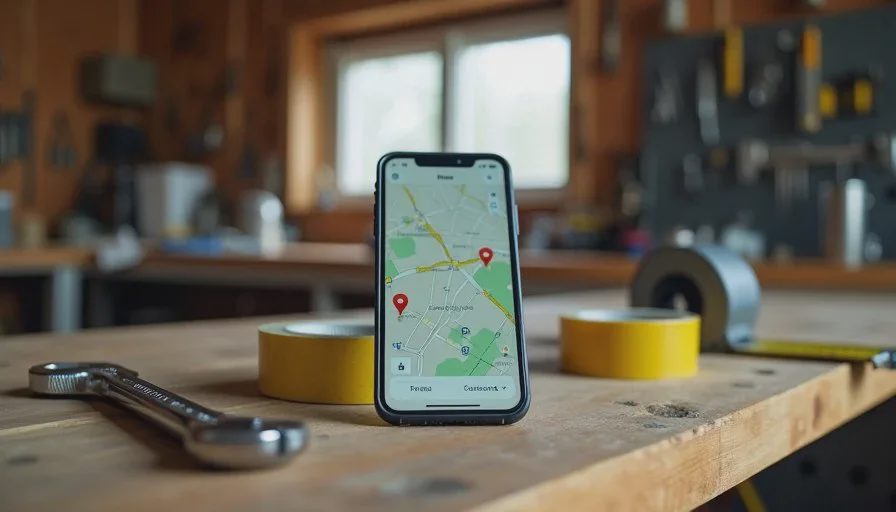
First, download offline maps for the usual service area and learn how to save specific neighborhoods before the day begins. Second, set up a simple photo-and-note method that works without signal so repair documentation can still be captured. Third, choose one reliable way to take payment that does not require perfect connectivity at the moment of collection. Fourth, protect the battery with a basic power bank that actually fits in the truck and a charging cable that stays there. Fifth, turn off non-essential notifications so the phone does not become a constant interruption between jobs.
None of these steps require the newest device or the most featured app. They require tools that survive the conditions of the work.
I have seen experienced techs keep using the same core set for years while newer, flashier options come and go. The pattern is consistent. The tools that remain are the ones that reduce trips, prevent missed jobs, and keep arguments with the schedule to a minimum.
How This Approach Differs from General Tech Writing
General tech writing often celebrates new features and complex systems. Field-focused advice does the opposite. It looks for the simplest reliable path and tests that path under ordinary stress.
It also respects the full day. A technician’s phone manages work appointments and family messages in the same device. Advice that optimizes only for the job and ignores the evening calendar creates new friction at home. The useful version accounts for both.
Privacy receives the same practical treatment. Customer information, location history, and payment details need protection without turning every recommendation into a security lecture. Clear settings and minimal data collection are usually enough.
Finally, the advice stays honest about limits. Some problems are better solved with a paper note or a phone call than with another app. Recognizing that boundary is part of good judgment, not a failure of technology.
What to Watch for When You Evaluate New Tools
When a new app or device appears, run it through a short field filter before committing time or money.
Does it work offline for the core task?
Does it drain the battery faster than the current method?
Can it be learned in under ten minutes on a real job?
Does it create extra steps when the customer is waiting?
Will it still be useful if the signal is poor and the day runs long?
If the answers are weak, the tool is probably better left on the shelf. The goal is not to adopt every new option. The goal is to keep the phone from becoming another source of delay.
I still carry a thick case, a spare cable, and a small power bank for the same reason I keep basic hand tools in the truck. They solve recurring problems without drama. The same standard applies to digital tools.
Keeping the Focus on Real Outcomes
A phone should help you make one less trip, miss one fewer job, and have one fewer argument. That single measure cuts through most marketing claims.
If a new system requires constant attention or only works under ideal conditions, it fails the test. If it quietly reduces wasted driving, prevents a missed appointment, or keeps a customer conversation calm, it earns a place.
Field workers already carry enough variables: weather, traffic, parts availability, and customer schedules. Technology that adds more variables without reducing the existing ones is not progress. Technology that removes friction under real conditions is.
The difference between office advice and field advice is the difference between a tool that looks good on a desk and a tool that still works when the truck is parked at the edge of coverage and the battery is already low. Choose the second kind. Test it on an ordinary workday. Keep only what survives.
That approach has served me through years of service calls and continues to guide the recommendations I give small mobile businesses today. The conditions of the work have not changed. The tools that respect those conditions remain the ones worth using.



No comments yet — be the first to share a thought.