The best apps for field service workers do more than look polished in an office demo. They need to help when you are parked outside a customer’s house, wearing work gloves, carrying a wet phone, or trying to finish a job before the next appointment. A good mobile setup can reduce missed calls, repeated driving, forgotten parts, and invoices that sit unpaid for weeks.
I have learned to judge an app by what happens during an ordinary Tuesday. Can you open it quickly? Does it work with weak service? Will a customer understand the payment request? Does it drain the battery in a Ford F-150 before lunch? The best apps for field service workers should make the day calmer, not add another dashboard to maintain.
What a field worker actually needs from an app
Start with the workday rather than the app store. A plumber may need appointment windows, customer notes, photos of a shutoff valve, and a way to collect a deposit. A cleaner may care more about recurring visits, arrival messages, checklists, and simple invoices. A landscaper may need route planning, weather awareness, crew communication, and proof that a gate was locked after the job.
That is why the best apps for field service workers are not always the most expensive platforms. Google Calendar can handle a small schedule if you use clear titles and color coding. Google Maps and Apple Maps are useful for directions, while Circuit or RoadWarrior can help drivers organize several stops. For estimates and invoices, Square, Jobber, Housecall Pro, and Joist each offer different levels of structure. The right choice depends on whether you work alone or coordinate several people.
Before paying for anything, write down the five tasks you repeat every day. If those tasks are scheduling, navigation, customer calls, photos, and payment collection, you probably need a small group of reliable tools rather than a giant business system.
Scheduling and customer communication without the chaos
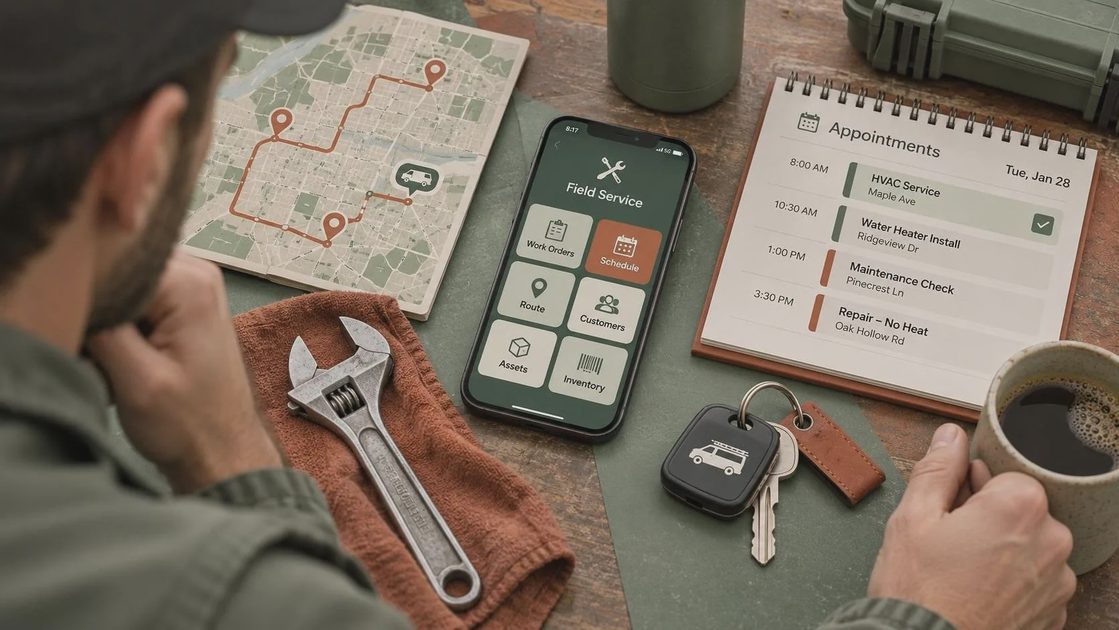
A scheduling app earns its place when it prevents double-booking and keeps customers informed without forcing you to type the same message six times. Jobber and Housecall Pro are built around home-service workflows, including appointments, client records, quotes, invoices, and automated reminders. They can be useful for a growing repair or cleaning business, but subscription costs and setup time deserve attention.
For a solo operator, Google Calendar paired with Google Voice may be enough. Use a separate business number, set working hours, and create appointment titles that include the customer’s name, service, neighborhood, and promised arrival window. Keep sensitive details out of notification previews on the lock screen. A customer’s address should not appear in a team group chat that includes people who do not need it.
The best apps for field service workers also need a notification plan. Turn on alerts for new appointments, schedule changes, and urgent customer replies. Turn off promotional notices, social updates, and every low-priority email alert. A phone that buzzes forty times before noon teaches you to ignore the one message that matters.
Route planning, maps, and weak-signal reality
A route that looks efficient on a laptop can fall apart when a customer is at the end of a rural road, a bridge is closed, or a phone loses service between towns. Google Maps and Apple Maps both support saved places and navigation, but download offline map areas before leaving a strong Wi-Fi connection. Do not wait until you are already stopped on the shoulder.
RoadWarrior and Circuit are designed for multiple stops and can be helpful when the order of visits matters. They are especially useful for delivery-style work, maintenance rounds, and service calls spread across a large area. Still, check the suggested route. Software may optimize miles while ignoring a narrow driveway, a school pickup line, a time-window promise, or a truck restriction.
The best apps for field service workers should be backed by a low-tech plan. Keep the next three addresses in a paper notebook or saved screenshot. Carry a charging cable that fits your phone, a 12-volt adapter, and a small power bank. Offline navigation is not a luxury when the nearest reliable signal is twenty miles behind you.
Estimates, invoices, and getting paid at the door
An app can save more time on payment collection than on route planning. Square is familiar to many customers and supports card payments through readers or payment links. QuickBooks can connect estimates, invoices, expenses, and bookkeeping for businesses already using its accounting tools. Joist is aimed at contractors who want to create estimates and invoices from a phone without building a complicated system.
Jobber and Housecall Pro add payment features to broader field-service workflows. That can be worthwhile when you need dispatching, customer history, recurring work, and follow-up reminders in one place. The tradeoff is a monthly fee and a longer setup process. Compare the plan price, payment-processing fees, user limits, and export options before moving your customer list.
Use line items customers can understand. “Replace faulty capacitor” is better than “service call adjustment.” Add parts, labor, disposal, tax when applicable, and the payment due date. Take before-and-after photos with permission, then store them under the correct customer record. The best apps for field service workers should make a clean invoice easier, not hide the final price behind five screens.

Photos, notes, and privacy in customer homes
Field notes are valuable when they help you remember what happened. Microsoft OneNote, Apple Notes, and Google Keep can all work for quick observations, measurements, serial numbers, and parts lists. Use a consistent format: date, problem reported, diagnosis, work completed, parts used, and follow-up needed. Voice notes are convenient when your hands are dirty, but review them before billing so a rushed phrase does not become a confusing customer record.
Photos need the same discipline. Photograph a damaged component, meter reading, or completed installation rather than every room in a home. Turn off automatic sharing to personal albums if several people use your device. Review location metadata and cloud backups, particularly when images show addresses, children, paperwork, alarm panels, or private belongings.
A simple folder structure can prevent a painful search later: customer name, job date, and invoice number. If an app makes this impossible, export important records regularly. The best apps for field service workers should not trap your business history in a format you cannot access if you cancel.
A realistic app stack for different operators
A solo handyman might start with Google Calendar, Google Maps offline areas, Google Voice, Square, and Google Drive. That combination can cover appointments, directions, business calls, payments, and document storage for a modest monthly cost. It requires manual updates, but it is inexpensive and familiar.
A two-person appliance repair crew may benefit from Jobber or Housecall Pro because dispatching, customer notes, estimates, and invoices live together. A delivery contractor with ten stops may get more value from Circuit or RoadWarrior than from a full customer-management platform. A cleaner with recurring weekly visits may prioritize a scheduling system and automated reminders over detailed estimates.
The best apps for field service workers are the ones people will open next month. Test one workflow with real jobs before importing your entire customer list. Ask whether a new worker can learn it in an afternoon, whether records can be exported, and whether the app remains usable when the signal disappears.
Set up your phone before the next job
Spend thirty minutes preparing the device. Enable a screen lock and automatic updates. Use a password manager rather than repeating one password across payment, email, and scheduling accounts. Turn on multi-factor authentication wherever the app supports it. Give location access only when navigation or a business feature genuinely needs it.
Then prepare for failure. Download maps, charge the phone, check storage, and sign in to payment tools before leaving the shop. Save customer-support numbers somewhere outside the app. At the end of each week, review subscriptions and remove tools nobody used. If an app causes more confusion than it prevents, replace it with a simpler option.
A phone should help you make one less trip and miss one fewer job. Choose the best apps for field service workers by testing them against rain, weak service, low battery, changing schedules, and a customer standing at the door. That is where the recommendation earns its keep.


No letters yet — be the first to write.